

Editor's Review
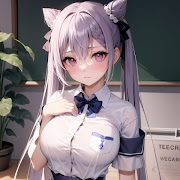
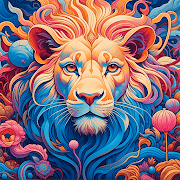
Type a prompt, choose a look, and CreArt returns a generated image a few moments later. That is the core loop of this Art & Design app from Yawai, and most of what surrounds it exists to make the loop faster: preset art styles, aspect-ratio choices, and a gallery of past generations you can return to.
What you can make: the app covers familiar text-to-image territory, from illustration and anime through oil-paint and watercolour looks to portraits, phone wallpapers and avatar-sized crops. Style presets do the heavy lifting for anyone who does not want to learn prompt syntax, since typing a few words and tapping a thumbnail is usually enough to get something usable.
Where the money is: the download costs nothing, but generation credits are the real currency. Free users get a limited allowance, and the app pushes a subscription for faster queues, higher resolution and watermark removal. Ads between generations are part of the free experience.
Who it suits: casual creators who want images for social posts, wallpapers or profile pictures. It is not a precision tool. You cannot steer composition the way a desktop workflow allows, and re-rolling a prompt is often quicker than trying to fix a flawed result. A 4.24 average across more than a million installs suggests most people get what they came for, with the usual grumbling about credits attached.
Features
Text-to-image generation from a written prompt
Preset art styles covering anime, oil painting and watercolour looks
Aspect ratio choices for wallpapers, social posts and avatars
Saved gallery of everything you have generated
Prompt suggestions and worked examples for beginners
Direct sharing to social and messaging apps
Pros
Style presets get decent results without any prompt-writing skill
Free to install, with an allowance you can use before paying anything
Output sizes line up with common wallpaper and social formats
Cons
Credits run down quickly and refills are tied to a subscription
Ads interrupt the free tier between generations
Almost no fine control over composition, hands or text inside images
Questions people ask
Is CreArt free to use?
The listing is free and you can generate images without paying, but generation is metered by credits. Once the allowance runs out you wait for it to refresh, watch ads, or subscribe.
Do generated images carry a watermark?
Output on the free tier is typically watermarked, and removing that mark is one of the things the paid tier is sold on. Check the subscription screen inside the app for what is currently included.
Can I use the pictures commercially?
That depends on the terms Yawai publishes in the app and on the licence attached to your plan. Read those terms before putting generated images into anything you sell or advertise.