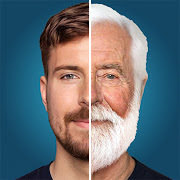


Editor's Review
Few photo editors have had a cultural moment the way FaceApp did. The ageing filter that flooded social feeds is still here, sitting alongside the rest of the toolkit: smiles added to closed mouths, hairstyles swapped, beards grown, makeup applied, gender presentation altered, and impression filters that restyle a portrait wholesale. Results hold up because the model reasons about facial structure instead of pasting overlays, so a changed expression still reads as the same person.
Practical editing sits underneath the novelty. Blemish removal, skin smoothing, teeth whitening, background replacement, colour filters and lens blur are enough to tidy a portrait for a profile picture without opening anything else. Multiple faces in one photograph can be edited separately, which matters for group shots.
The business model is the friction point. Installing costs nothing, but a large share of the interesting filters carry a Pro marker and unlock only with a subscription, while free exports can be watermarked. People routinely install it for one specific effect, find that effect gated, and leave a one-star review saying so. That dynamic explains a fair slice of the 4.31 average.
Data is the other thing to weigh. Editing runs on the developer's servers, meaning the photograph leaves your handset. FaceApp Technology publishes a privacy policy covering retention and deletion requests, and the app drew heavy scrutiny over precisely this question a few years ago. None of that is unusual among cloud-based AI editors, but it is worth reading before uploading pictures of other people, children especially, and worth avoiding for anything you would not want stored off-device.
Features
Age filters that push a face older or younger
Expression editing, including adding or reshaping a smile
Hairstyle, beard and hair colour changes
Makeup, skin smoothing and teeth whitening
Impression filters that restyle an entire portrait
Background replacement and lens blur
Separate editing of several faces in one photograph
Pros
Edits preserve the likeness instead of looking pasted on
Covers both novelty effects and everyday portrait cleanup
Handles group photos rather than single subjects only
Cons
Most of the appealing filters sit behind a Pro subscription
Free exports can arrive watermarked
Processing happens on remote servers, not on the phone
Subscription prompts appear often during ordinary use
Questions people ask
How much of FaceApp is free?
Installation costs nothing and some editing works immediately, but many filters are marked Pro and open only with a subscription. Look at what is included before committing.
Are my photos uploaded to a server?
Yes. Editing is performed remotely, so images you work on leave the device. The privacy policy inside the app sets out retention and deletion details.
Can the watermark be removed?
The mark on free output is tied to the paid tier, so subscribing clears it. Cropping is the only free workaround and it costs you framing.