

Editor's Review
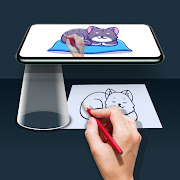
Tracing is an old teaching trick, and this app rebuilds it around the phone camera. Point the camera at a sheet of paper, load a picture, and the app holds that picture as a translucent layer over the live view so you can copy the lines underneath with a pencil. Filters convert a photograph into outlines or a sketch first, which is what makes an ordinary snapshot traceable at all.
What it needs from you:
A phone held rigidly still, which in practice means a stand or a propped-up case, even lighting, and patience. Every wobble moves the overlay, and no software can compensate for a phone held in the hand. People who set the phone up properly get usable results; people who hold it one-handed and draw with the other generally do not, and that gap explains a fair share of the 3.42 average.
The rest of the criticism concerns money. Advertising is frequent, several tools sit behind a subscription, and upgrade prompts interrupt the work. As a learning aid for beginners copying shapes it does the job it claims. As a route to drawing without tracing, it teaches nothing.
Features
Camera overlay holding a reference image over your paper
Sketch and outline filters applied to any photograph
Built-in picture library alongside your own gallery
Adjustable overlay transparency and zoom
Overlay lock to prevent accidental repositioning
Pros
Turns any photograph into something a beginner can copy
Free to try before any subscription decision
Cons
Barely usable without a stand or some way to fix the phone in place
Advertising interrupts the drawing process
Several tools are locked behind a subscription
Tracing on its own builds no drawing skill
Questions people ask
Do I need a tripod?
Something to hold the phone steady is close to mandatory. Any movement shifts the projected image against the paper, and there is no software fix for a handheld phone.
Is it free?
The app installs free and shows advertising. Some filters and features are reserved for a paid subscription, and upgrade prompts appear regularly during use.